For the worker
Find the drawing quickly. Open the revision. Check the Wall Type. Keep building.
App Store · Google Play
The latest drawings and wall type specifications — on every worker’s phone.
My Drawings gives construction teams one simple place to access drawings, revisions and wall type specifications on site. Online or offline. Multi-site. Built for construction.
The problem
Drawings live in the cabin. Revisions change. The floor is far from the printer. A dryliner should not have to guess which pack is current — or walk back to check.
Find the drawing quickly. Open the revision. Check the Wall Type. Keep building.
Control what the crew is looking at. Publish a revision. Close access when someone leaves.
Fewer mistakes from old prints. Less wasted time. Every site keeps its own pack.
See it
Pinch. Pan. The drawing stays on the phone.
The crew can open the new revision from the notification.
A 30-second walk-through of the live app. Replace this with your video when you have it.
Before / after
On the phone
That is the job. Not a folder. Not a guess. The drawing and the specification that belong to that wall.
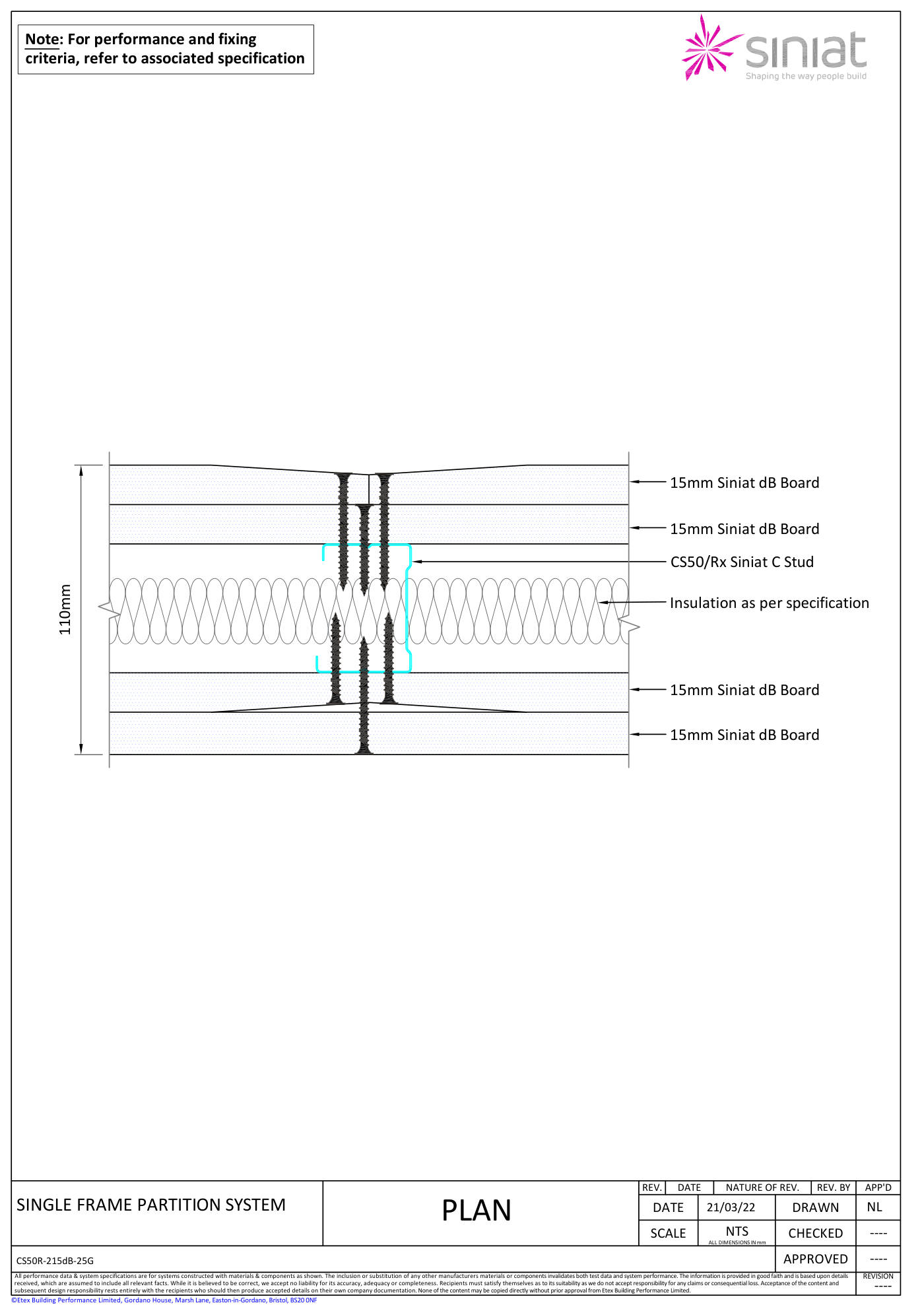
This is not only a PDF viewer. Drawing → Wall Type → exact build-up → fire rating → acoustic rating → thickness.
15mm Siniat dB Board · CS50/Rx @ 600 · 25mm GMW
On site
Download drawings before going to the floor. My Drawings keeps downloaded drawings and specifications available when the site has poor or no mobile signal.
Your drawings stay with you.
Revisions
For the manager
Upload. Publish. Organise by category. Appoint a site manager. Close access when someone leaves the company.
Welcome · Company admin
Multi-site
24 drawings
37 drawings
18 drawings
Each site has its own drawings, Wall Types, workers, site manager and access. A worker on Site A does not see Site B.
Access
Workers sign in with email and the site access code. The code gets them onto that job. The company admin and site manager can close a user’s access if they leave. That is the control. Not a password to remember on the floor.
How it starts
Who it is for
Dryliners, supervisors and site managers can access the drawings and specifications they need without going back to the cabin. The company pays. The crew builds.
Get the app
Install My Drawings. Then sign in with the site access code.
FAQ
Managers control who has access to each site. Close that user’s access from the admin panel. The code gets people onto a job; the company decides who stays on it.
Yes. Download the drawings and Wall Types first. They stay on the phone in basements, lift shafts, cores and remote sites.
Yes. Each site has its own drawings, Wall Types, workers and site manager. Nothing mixes between jobs.
Yes. My Drawings is a mobile app on both. Same company account on iPhone and Android.
The company admin or site manager, from the administration panel. Workers only open what has been published for their site.
Start your first site. We can help you load the first pack.